Archive View
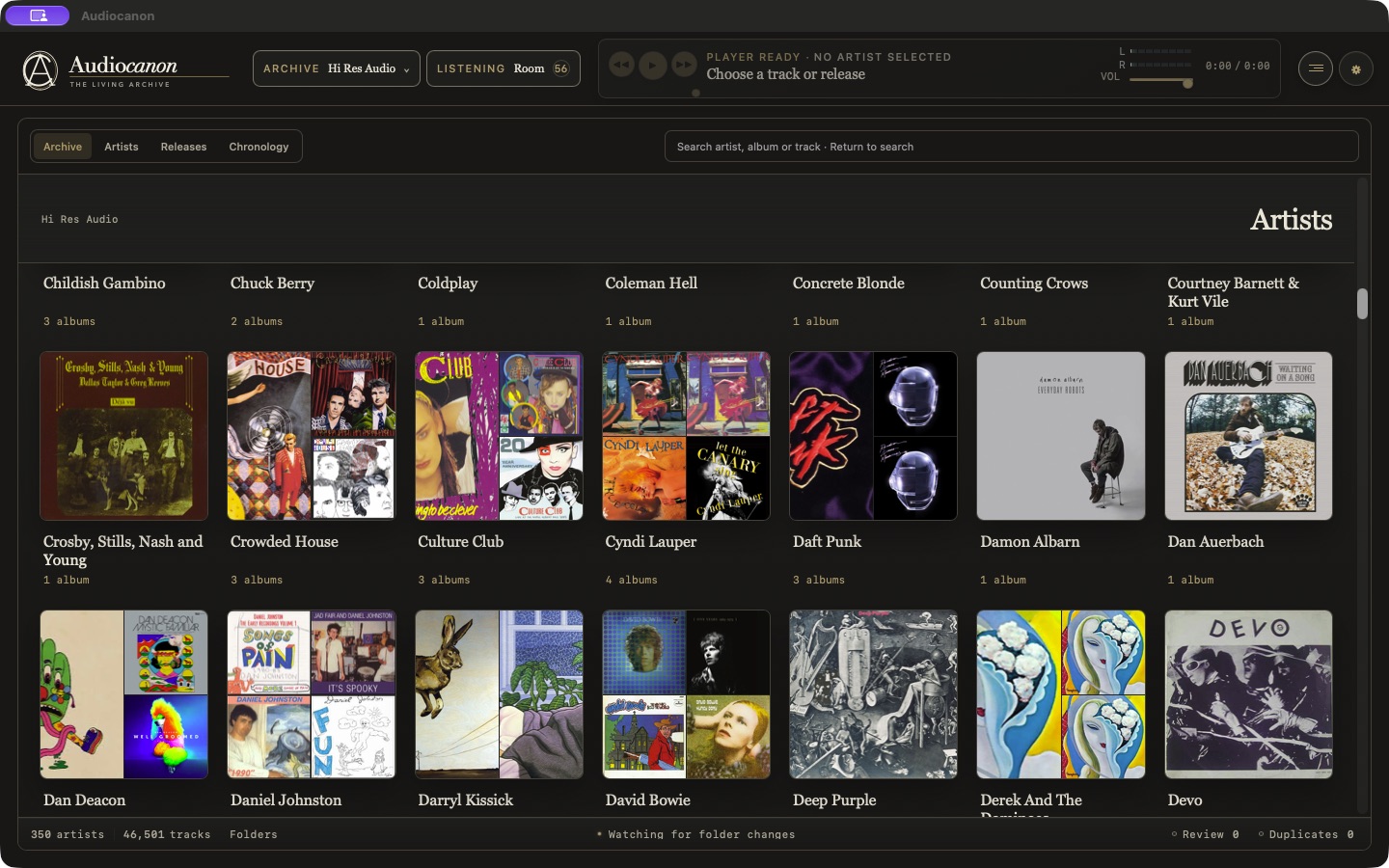
Move through a multi-artist library or explore a single artist’s catalog. Albums, collections and versions stay connected.

Audiocanon for macOS
An audio library for people who care about the music
and the details behind it.
The app
Browse artists and albums, explore different editions, and open the files and documents that belong to each release.
Move through a multi-artist library or explore a single artist’s catalog. Albums, collections and versions stay connected.
Artwork, tracklist, file details and supporting documents, together with the player.
See the output route and its verification status. Software gain stays at unity; listening level is controlled by your hardware.
Listening Room
Save favourite albums from any archive, queue individual songs, or put together a mixtape.
Listening Room brings them into one place. Your audio stays in its original location.
Explore Listening RoomOur approach
A different master or mix can be the reason you keep an album. Audiocanon is designed to preserve those distinctions and make them easier to find.
Scanning does not rewrite your audio. Catalog corrections are kept separately. Changes to source files require your approval.
Edition information, audio format and source files remain available for inspection. An uncertain match is identified as such.
Consistent controls, readable information and direct navigation help you spend less time managing the library and more time listening.